Aim Away Messages
How to put up a new away message.
[an error occurred while processing this directive]
6. Enter your message title in the "Label Box".
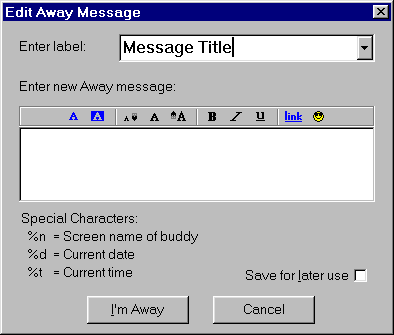
7. Enter your away message in the big box in the middle.

8a. If you want to store the message on your computer so you don't have
to rewrite your away message at a later date, check the "Save for later use box.
8b. Click the "I'm Away" button, now your away message should be up.

9. A yellow notepad should appear next to your screen name to indicate that you are away.
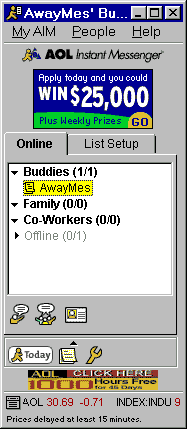
10. Your finished, you now have your new away message up!
◁ Back
More Articles
[an error occurred while processing this directive] [an error occurred while processing this directive] [an error occurred while processing this directive]