

ICQ Away Messages
How to put up a new away message.
This tutorial was made for ICQ version 2001b, but should be compatible for other versions.
1. Sign onto ICQ, and wait for the window
that looks like the one below to load up.

2. Click on the "Online" button on the bottom of the window.
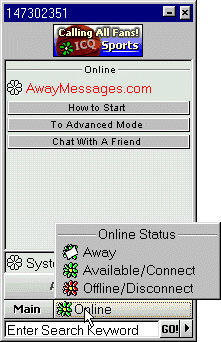
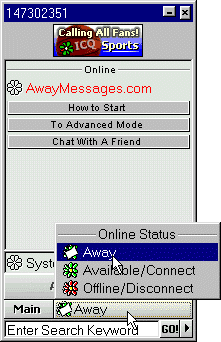
3. Select "Away" from the pop up menu
Next Page ►
More Articles
Return to Away Messages
[an error occurred while processing this directive]
Copyright © 2001 AwayMessages.com.